

How to Install Nitro PDF Reader Free PDF Reader / Creator / Converter
by: Revengsky Joseph D. Reyes (aka – jcyberinux.com – rjdreyes)
A range of powerful features for your workflow

Nitro Reader offers features and functionality far beyond typical PDF readers, and makes working with PDF easier than ever before. Read on to discover what you can start doing with PDF, today.
Nitro PDF Reader is much more than a standard PDF reader, Nitro PDF Reader is the only PDF software you’ll need, Nitro PDF Reader blows away the competition.
Steps / Instructions on How to Install Nitro PDF Reader Free PDF Reader / Creator / Converter
1. Download Nitro PDF Reader, put it into approriate location, then double-click to run the installer file.
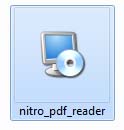
(Note: Security Warning may arise, and a question; Do you want to run this file? just continue it anyway, click Run)

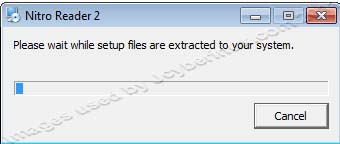
2. Welcome installation appears, click Next.

3. End-user license agreement appears (Read the License Agreement), then click the checkbox, I accept the terms in the License Agreeement, then afterwards click Next.

4. Destination folder or installation path, where the Nitro PDF Reader will be installed. (Choose the location or the default location provided). Click the checkbox to install Nitro PDF plugin reader for IE and Firefox. Afterwards, click Next.

Then Installation will be begin, click Install.

5. Installation is in progress just wait to finish, afterwards the installation is finish, then click the checkbox Launch Nitro Reader 2 now(to launch the Nitro PDF Reader), then click Finish.


You finally made it. 😀 Viola! Enjoy using Nitro PDF Reader – a Free PDF Reader / Creator / Converter.

System Requirements
Desktops: Windows® XP, Windows® Vista, Windows® 7 (x64 editions supported)
Servers: Windows® Server 2003, Windows® Server 2008, Windows® Server 2008 R2 (Terminal Server and Citrix XenApp/Access Essentials configurations supported)
Processor: 1 gigahertz (GHz) or faster processor
RAM: 512 MB system memory (1 GB recommended)
Display: 1024×768 screen resolution
Installer size: 28 MB
Installation footprint: 106 MB
Available space: Up to 335 MB of available hard drive space
Microsoft Office 2003 or newer (required for Microsoft Office integrated features)
Microsoft .NET Framework 2.0 (or above)
Related Entries / References :
Nitro PDF Reader – Free PDF Reader and Creator by Jcyberinux
Nitro PDF Reader Official Site
Download Free Nitro PDF Reader Official Site







Hi!This is really a good post!
I actually planned to compose a small note to thank for you for some of the pleasant secrets you are showing on this website.
Hey, I just stopped in to visit your website and thought I’d say thank you.
Everyone would bnfeiet from reading this post